Make room for a long quest list.
Set the width and maximum height in tracker settings. Scroll to the final objective without stretching the window further down your screen.


Enhanced Quest Tracker · Public beta 1.1.21-beta.10

A compact quest tracker for your EllesmereUI setup. Arrange the sections, keep the list scrollable and put quest actions beside the content they belong to.
For EllesmereUI users who want to help test the tracker while they play.
Choose TustEUI-1.1.21-beta.10.zip on Wago. CurseForge file details.
Requires EllesmereUI. Back up your TustUI settings before switching builds, and use one TustUI build at a time.
What you can try
Set the width and maximum height in tracker settings. Scroll to the final objective without stretching the window further down your screen.
Change Section Order, collapse categories separately, or keep a fitting instance block above the scrolling quests. An oversized block stays reachable by scrolling.
Choose separate Collapse and Hide conditions, including instance and Delve rules. Use Match All or Match Any for collapse conditions, with manual control until the automatic context changes.
Choose EllesmereUI, Blizzard, Classic or Forever artwork where your client supports it. Each style remembers its appearance settings; movement and sizing stay independent.
Use available quest items from the side drawer. On Retail, supported scenario abilities appear there too. Tooltips and cooldowns stay with their actions.
Current Zone Quests narrows the regular quest list while keeping your focused quest. Filtering the view does not erase native quest watches.
Move the tracker with EUI Unlock. On Retail, it steps aside while EUI's Mythic+ timer is visible and returns to your saved tracker visibility afterward.
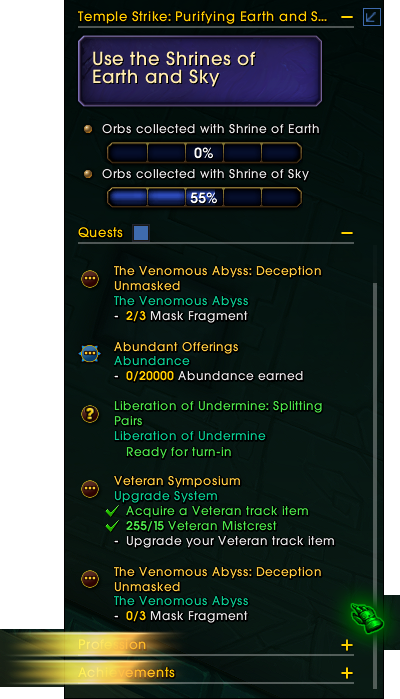
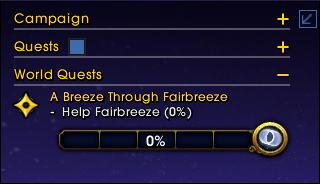
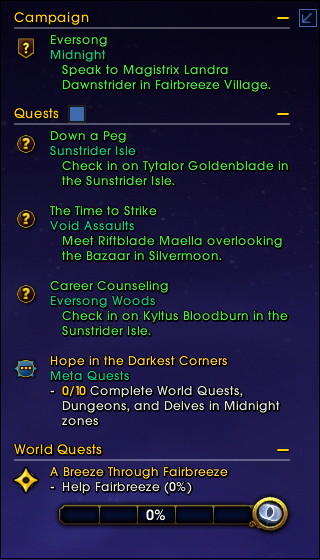
Minimize the tracker to hide the quest list. Expand it when you need it again.

Quest list expanded.
Before you start
Stable and beta builds share TustUI settings. Keep a backup so you can return to your previous setup.
Get EllesmereUI from its official site, then install the TustUI 1.1.21-beta.10 beta on Wago. For manual installation, put the Tust_EUI folder in your client's Interface/AddOns folder beside EllesmereUI. Keep only one TustUI build installed.
Use Enable Quest Tracker Beta and confirm the requested reload. The beta takes ownership of the tracker while enabled. Turning it off through its normal reload flow restores your previous tracker state.
Quest basics have checks for Retail and the actual WoW Forever client. Delves, scenarios, profession integrations and Mythic+ checks need the corresponding Retail content or optional addons. Leave unavailable subchecks unmarked.
Help shape the tracker
The public checklist has 14 test groups and 56 subchecks. Record what worked or where you found an issue, without treating unavailable content as a pass.
Known issue: the Find Group eye can disappear after a combat click. Native eligibility messages are separate from Lua errors. New item or ability bindings may also need to wait until combat or restrictions end.
Choose the checks you tried and describe what happened in game. Local progress stays in this browser; it does not send a report.
TustUI is independently maintained and requires EllesmereUI. It is not affiliated with or endorsed by the EllesmereUI team or Blizzard Entertainment. For project help, use the TustUI project listing.
Enable JavaScript to enlarge images on this page.