
Pick up where you left off.
Choose which message types to save and return to them after logging back in, with clickable links intact. Keep a separate history of messages you’ve typed, too.


World of Warcraft
A companion addon for EllesmereUI

Chat, quests and group controls.
Made for your EllesmereUI setup.
Keep conversations close, make room for your quests, and put useful controls within reach.
Requires EllesmereUI. TustUI is independently maintained. Enhanced Quest Tracker is a beta feature.
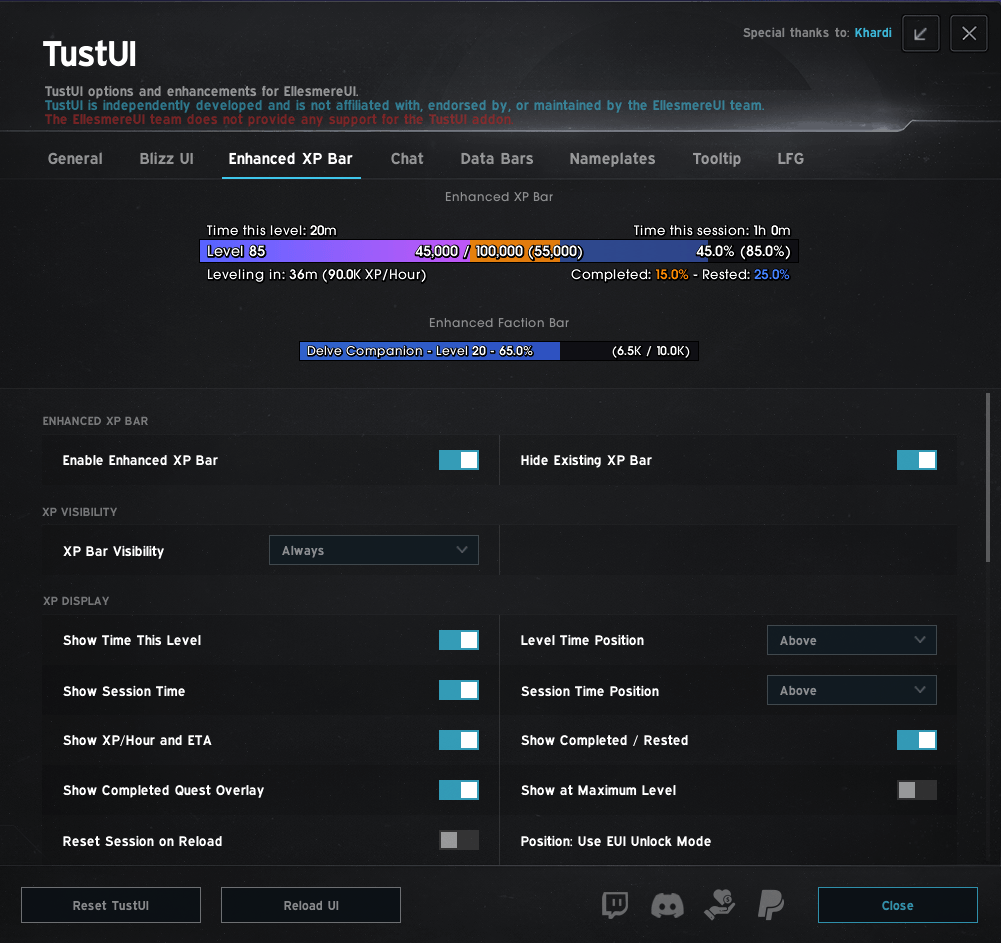 TustUI Enhanced XP Bar settings
Chat
Save the messages you want to return to, hear the ones that matter, and set up your chat windows your way.
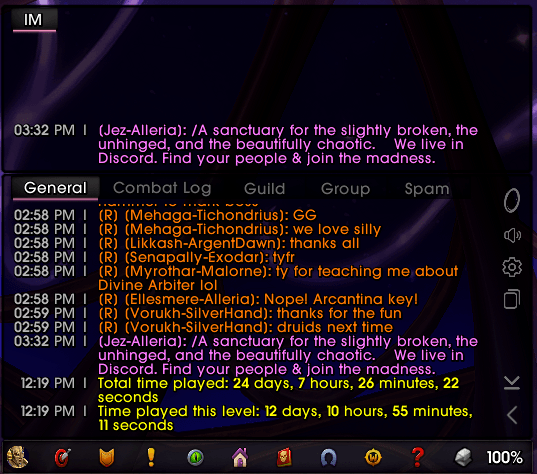
Choose which message types to save and return to them after logging back in, with clickable links intact. Keep a separate history of messages you’ve typed, too.
Set alerts for keywords, your character’s name or chosen channels. Mute them in combat when you need to focus.
Set text and background fading for permanent undocked windows separately from your main chat, with the delays you prefer.
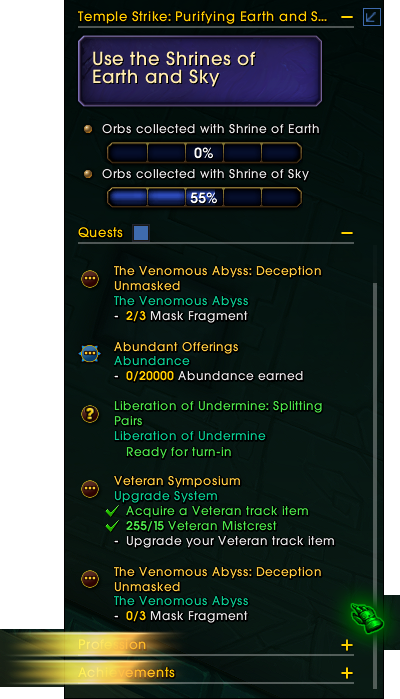
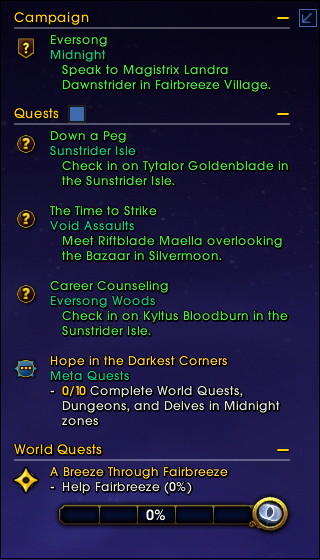
Scroll through a long quest list without stretching your tracker down the screen. Pin the instance block above it and keep categories collapsed across zones and relogs.
Choose a maximum height and scroll to quests further down the list. Your tracker stays within that space as objectives are added.
Lock the instance block at the top while quests scroll beneath it. If the block grows too tall to fit, it scrolls with the list so you can still reach its objectives.
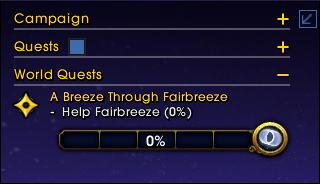
Collapse categories you do not need. Your category choices are saved with your profile, including across zone changes and relogs. Separate Collapse and Hide conditions control the whole tracker automatically.
Current Zone Quests narrows the regular quest list to your area while keeping your focused quest and quests without a single destination visible. Your quests stay tracked.
Use quest items and scenario abilities from a fixed side drawer, with tooltips and cooldowns. The drawer stays available while you scroll or collapse categories.
Requires EllesmereUI. Stable and beta builds share TustUI settings, so back up your settings before switching and use one build at a time.
Help test the betaRaid Tools
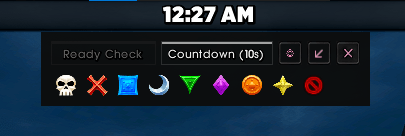
Open ready checks, role checks, countdowns and markers straight from your TustUI Data Bar.
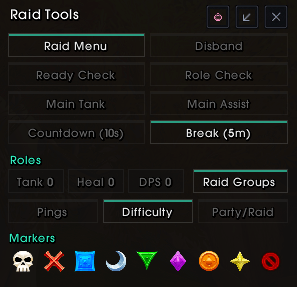
Use the full panel, compact controls or a marker-only strip. Check role counts and manage party or raid settings from the same place.
Disbanding asks for confirmation before it proceeds.
A companion addon for EllesmereUI
Put your information where you want it.
Choose which details appear in your Data Bars, then adjust how the bars are laid out.
Skip the motion ↓
The time, in your Data Bar.
Your friends count, in the same bar.
The screenshot is unavailable. You can still explore TustUI below.
Your friends count, in the same bar.
The screenshot is unavailable. You can still explore TustUI below.
Your information
Scroll the Data Bar or open the settings screenshot for a closer look.
Choose what appears in your Data Bars and arrange the layout to suit your UI. Add information from compatible LibDataBroker addons, too.
Scroll to see the full bar.
Follow XP, rested experience and faction progress. Choose details such as your session progress, XP rate or estimated time to level, then adjust the bars’ appearance.
 View full screenshot ↗
The rest of your UI
Turn on the options that fit the way you play.
Installation
 Get the required addon from EllesmereUI's official website ↗
Install and enable both EllesmereUI and TustUI. If you’re installing manually, place the Tust_EUI folder in your World of Warcraft folder under Interface/AddOns, alongside EllesmereUI.
Choose TustUI in EllesmereUI's settings, or type /tust or /tusteui.
Downloads
Check either listing for current releases, supported game versions, and support information.
TustUI requires EllesmereUI and cannot replace it. TustUI is developed independently and is not affiliated with, endorsed by, or maintained by the EllesmereUI team. For help with TustUI, visit the TustUI project listing ↗.
World of Warcraft is a trademark of Blizzard Entertainment. This project site is not affiliated with Blizzard Entertainment.
I make these addons for the game I spend far too much time playing. If one’s made your time in Azeroth a little better, you can buy me a coffee here.
 Buy Me a CoffeeSupport my worktust
Enable JavaScript to enlarge images on this page.
